
Simple Translate · Stop tab-hopping—translate in place
Submitted May 17, 2026, 11:01 PM
Details
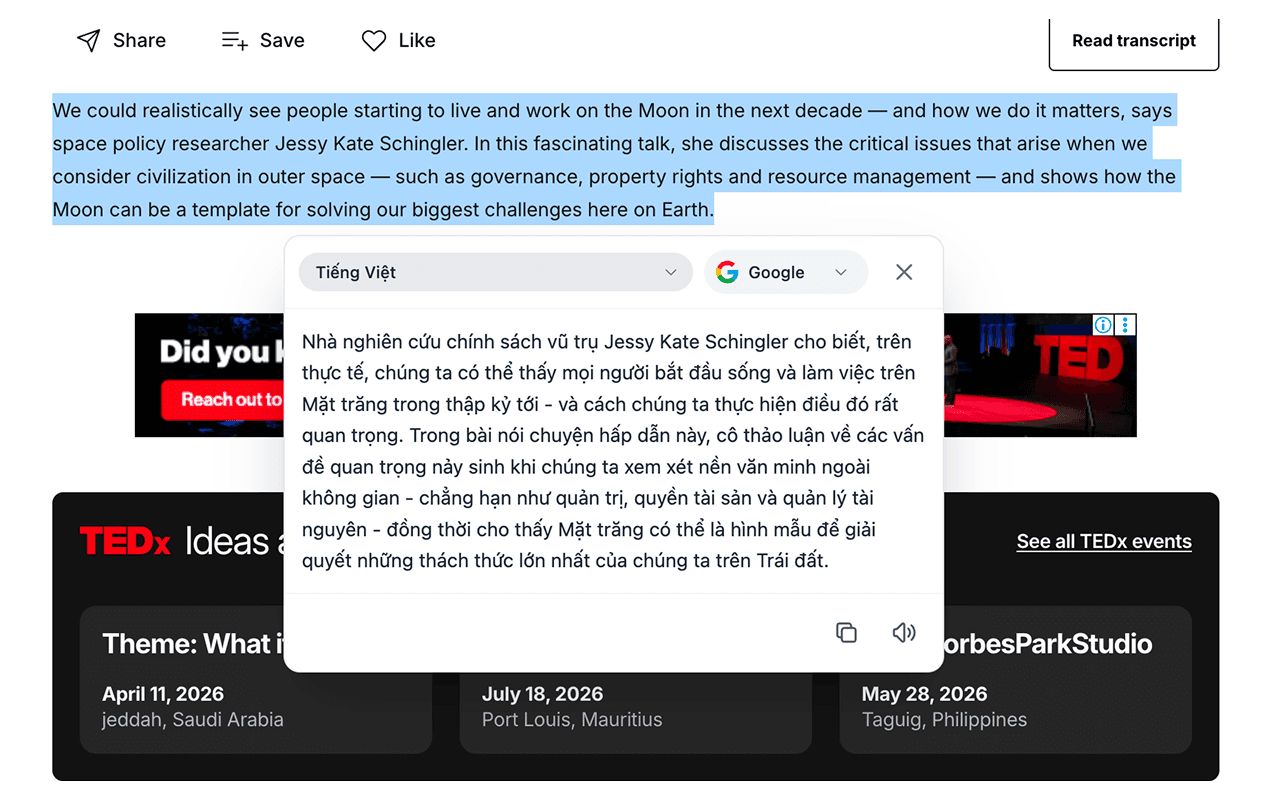
Quickly translate selected text — Google or Microsoft.
1. Simple Translate – Instant translation, right where you read * Simple Translate lets you translate text instantly without leaving the page * No need to open a new tab—just highlight text and click the 文A icon to see the translation immediately * Clean, fast, and seamless experience right inside your current page 2. Key Features * Highlight any text (up to ~8,000 characters) and translate instantly * Floating translation panel appears directly on the page * Supports both Google and Microsoft translation engines * Switch languages and engines on the fly * Displays phonetics when available * One-click copy for translated text * Built-in text-to-speech to listen to the original content 3. Smooth User Experience * The 文A icon appears automatically after text selection * Translation panel updates instantly based on your settings * Close easily with Escape, click outside, press X, or scroll * Uses Shadow DOM to avoid conflicts with website styles 4. Customization Options * Set your preferred interface language * Choose default translation engine * Configure source language (auto or manual) * Set target language for translation * Access all settings via the Options page 5. Why Simple Translate? * No interruptions—stay focused on what you’re reading * Fast, lightweight, and easy to use * Works across any website * Designed for a seamless browsing experience
Comments (1)
Congrats on your product launch — it looks like an amazing product!